Type Library
The type library provides the user with an interface to define complex types, further than the pre-existing fundamental types you get in MARTe2.
The basic types are defined as: https://vcis.f4e.europa.eu/marte2-docs/master/html/core/types/types.html?highlight=types

Opening the type database
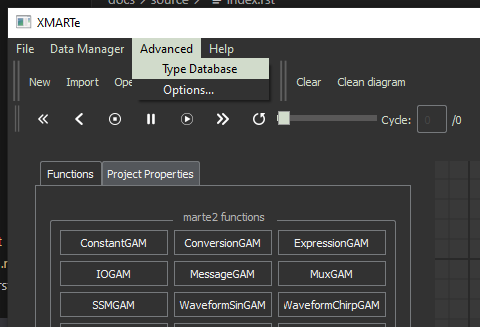
You can open the type database from the main menu at Advanced->Type Database.
Adding/Removing types
You can add or remove types from your type database via the buttons indicated below.

You can select to rename a type in the type name and then configure the elements of a type with the type definition panel section.
Note
You cannot modify the Version number, this is automatically incremented whenever you make a change to a type and save it. Old versions are backed up in an internal archive available at ~/.xmarte/type_db/archive.
Configuring a Type

To configure a type you can use the buttons below to:
Reset: the type to it’s initial definition from previous save.
Save: Save the current type definition, increments the version name and backs up the old version to an internal archive.
Add: Adds a new element to the type definition.
Remove: removes the selected elements in the configuration panel from the type definition.
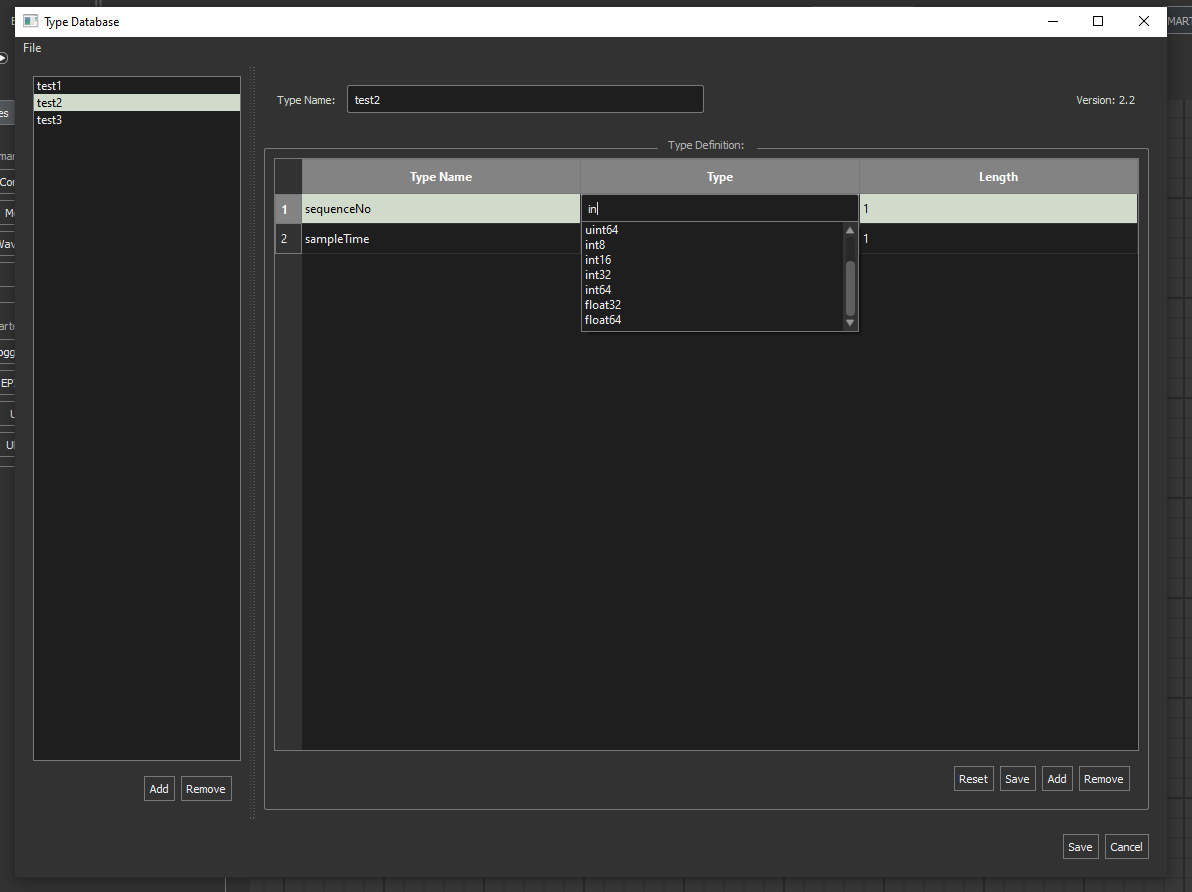
The type selection is auto-populating to give the user a definitive list of available types.
Note
the type selector loads existing complex types from within the type database as well as fundamental MARTe2 types.